Method 1. Using System Information ( Windows Build in Tool)
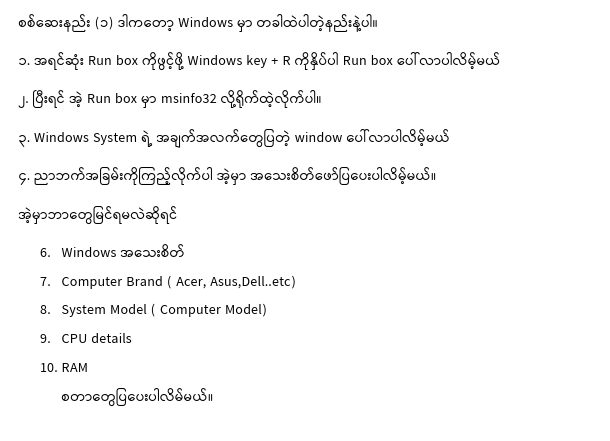
- Press Windows Key + R ( To open Run Box)
- Type msinfo32 and hit Enter or Ok
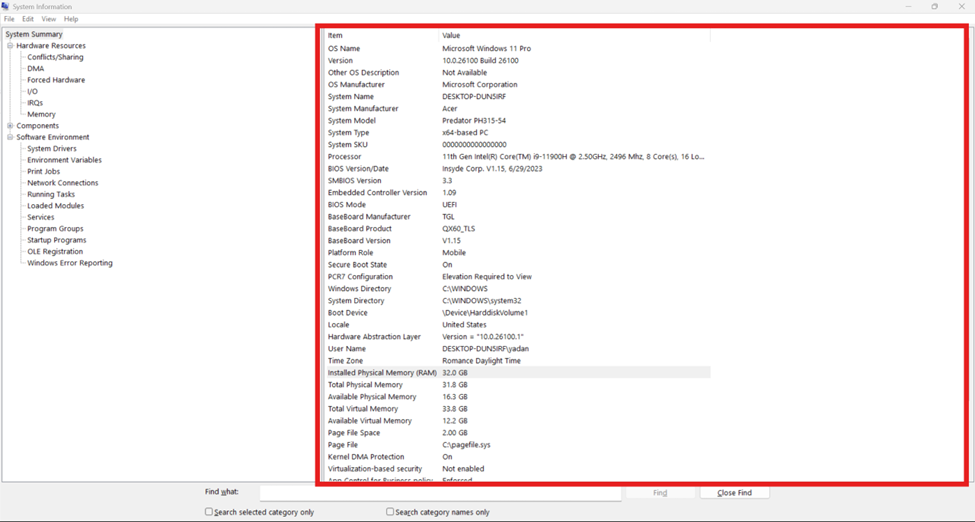
- The system information window will be shown
- See details of your system through the right pane
Then you can check below and more
- Windows details
- Computer Brand ( Acer, Asus,Dell..etc)
- System Model ( Computer Model)
- CPU details
- RAM
Method 2. Check PC specs through the Settings
- Press the Windows key and type Settings
- Click System
( You can skip steps 1 to 2 by pressing Windows key + I) It will directly open Windows settings.
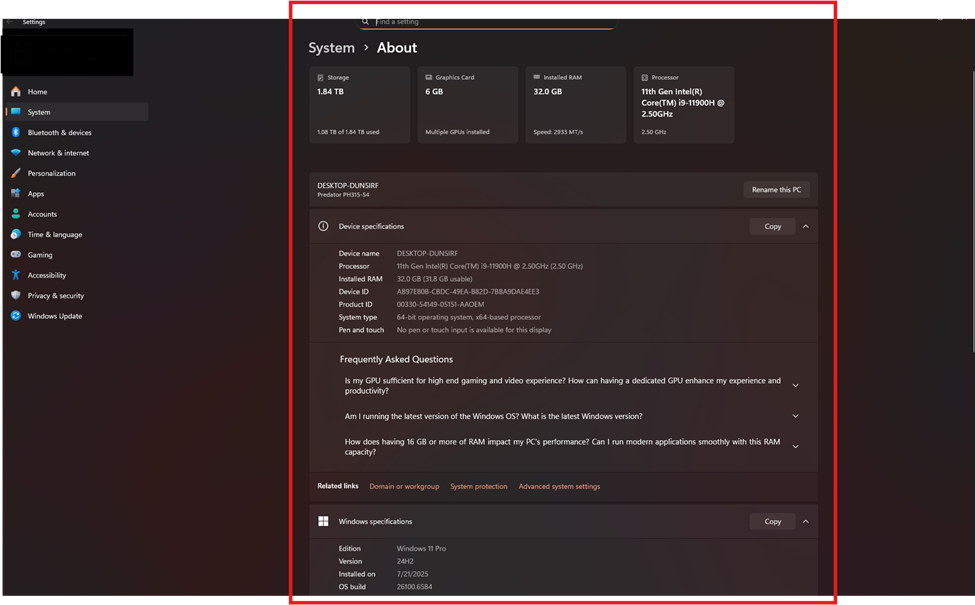
- Click About
- Then you will see your computer’s spec details
(Shortcut key is Winkey+Pause/Break) This will navigate directly to the computer info.)
You can check your computer spec details ( HDD, Graphics, RAM, CPU, Windows details)
There are many more methods to see the computer specs
You can also get info from CMD and powershell
For CMD , type “systeminfo”
For PowerShell, type “ Get-ComputerInfo”
Checking Windows specs by using third-party software (CPUZ)
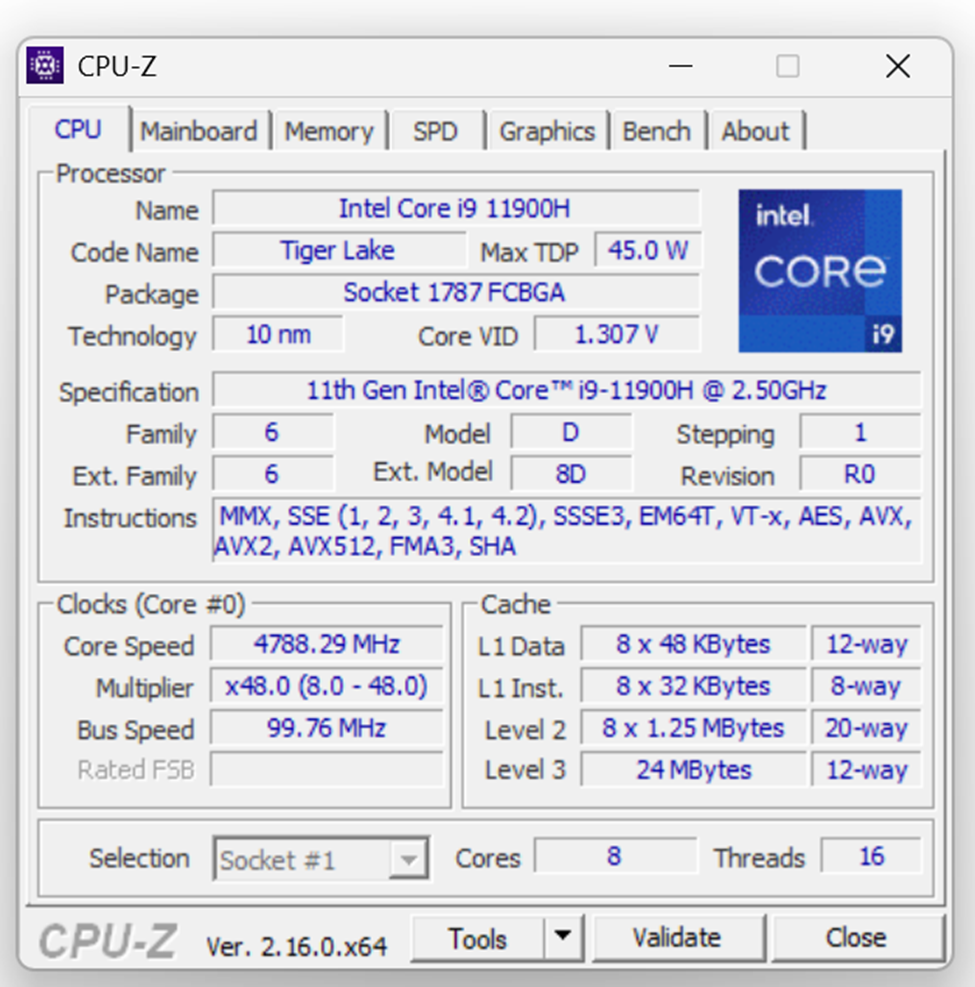
- Download CPU Z software and install it on your computer
- Run CPU Z software, and then you will see your computer’s specs details