What Is VMware?
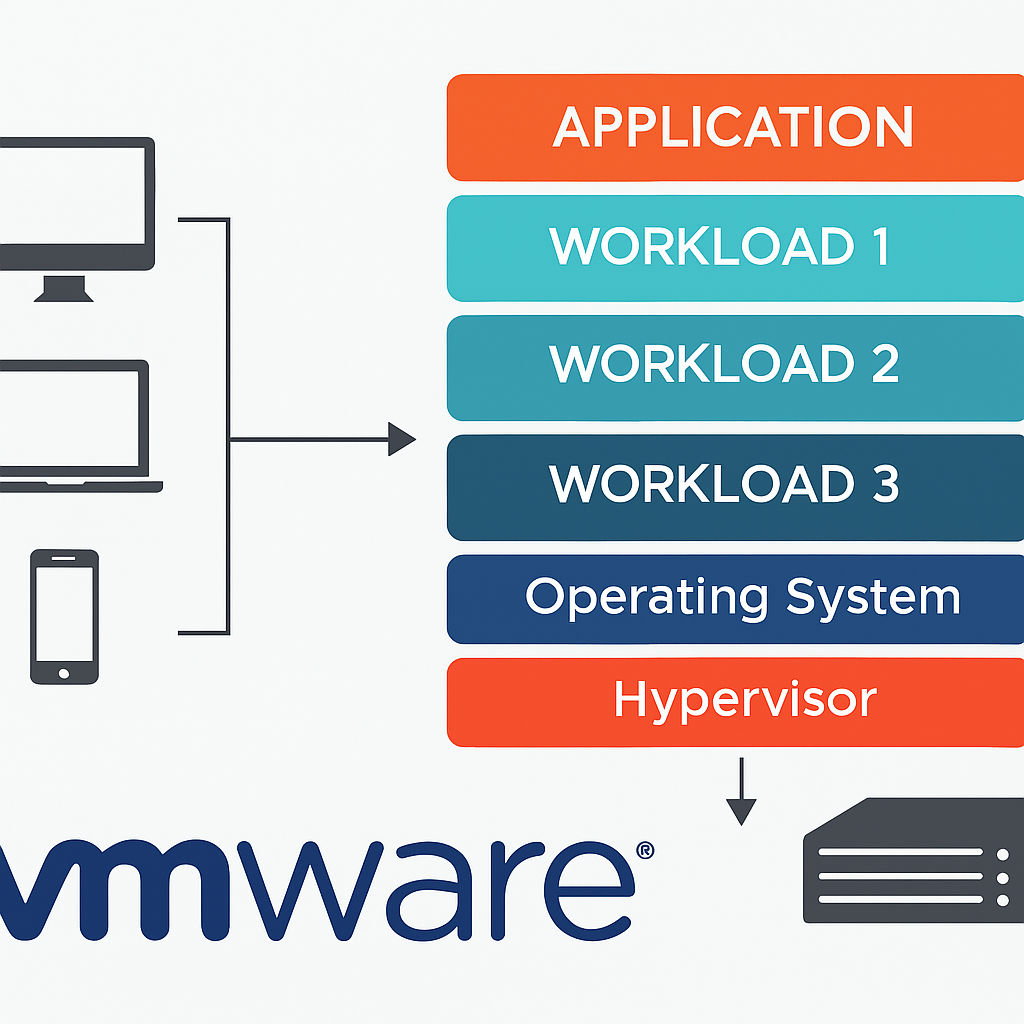
VMware is a global leader in virtualization and cloud infrastructure software. It enables multiple operating systems and applications to run on a single physical machine by creating virtual machines (VMs).
- Virtualization: Creating software-based versions of hardware resources.
- Hypervisor: Software that separates physical hardware from virtual environments.
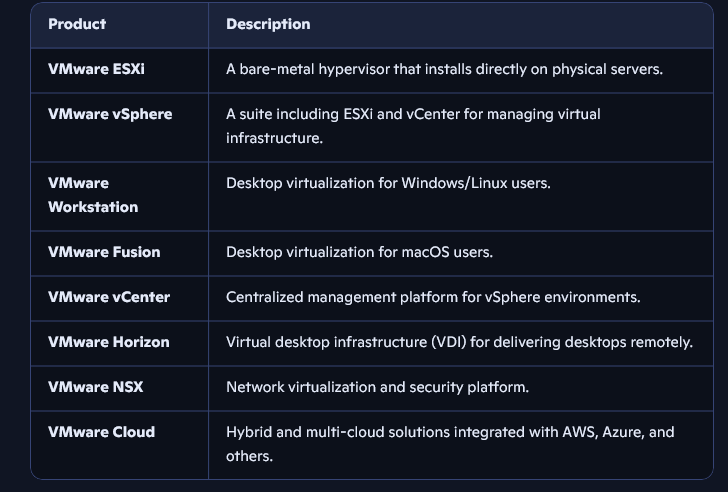
Key VMware Products
🚀 Use Cases
- Server Consolidation: Reduce hardware costs by running multiple VMs on fewer physical servers.
- Disaster Recovery: Easily replicate and recover VMs in case of failure.
- Testing and Development: Create isolated environments for software testing.
- Remote Work: Deliver secure virtual desktops to remote employees.
- Cloud Migration: Move workloads between on-premises and cloud environments.
✅ Pros of VMware
- High Efficiency: Better resource utilization and reduced hardware costs.
- Scalability: Easily scale infrastructure up or down.
- Security: Isolation between VMs enhances security.
- Flexibility: Run multiple OSes and apps on one machine.
- Snapshot & Cloning: Save VM states and duplicate environments.
- Robust Ecosystem: Integrates with storage, networking, and cloud platforms.
❌ Cons of VMware
- Cost: Licensing and support can be expensive for enterprise use.
- Complexity: Requires technical expertise for setup and management.
- Performance Overhead: VMs may not match native performance.
- Hardware Requirements: Some features need specific hardware support.
- Learning Curve: Steeper for beginners unfamiliar with virtualization.
Getting Started with VMware
- Choose Your Platform
- Personal use: VMware Workstation or Fusion
- Enterprise use: VMware ESXi and vSphere
- Install the Hypervisor
- ESXi on physical servers
- Workstation/Fusion on desktops
- Create Virtual Machines
- Allocate CPU, memory, and disk
- Install operating systems
- Manage with vCenter (Optional)
- Centralized VM management and automation
- Explore Advanced Features
- Snapshots, cloning, VM migration, high availability
Learning Resources
- VMware Official Documentation: https://docs.vmware.com
- VMware Hands-on Labs
- Online courses (YouTube, Udemy)
- VMware Certification Paths (VCTA, VCP, VCAP)